Flows & Event dashboard
Two tabs, one process: Flows is where you condition a mechanic, Event is where you activate and watch it.
Flows - condition the process
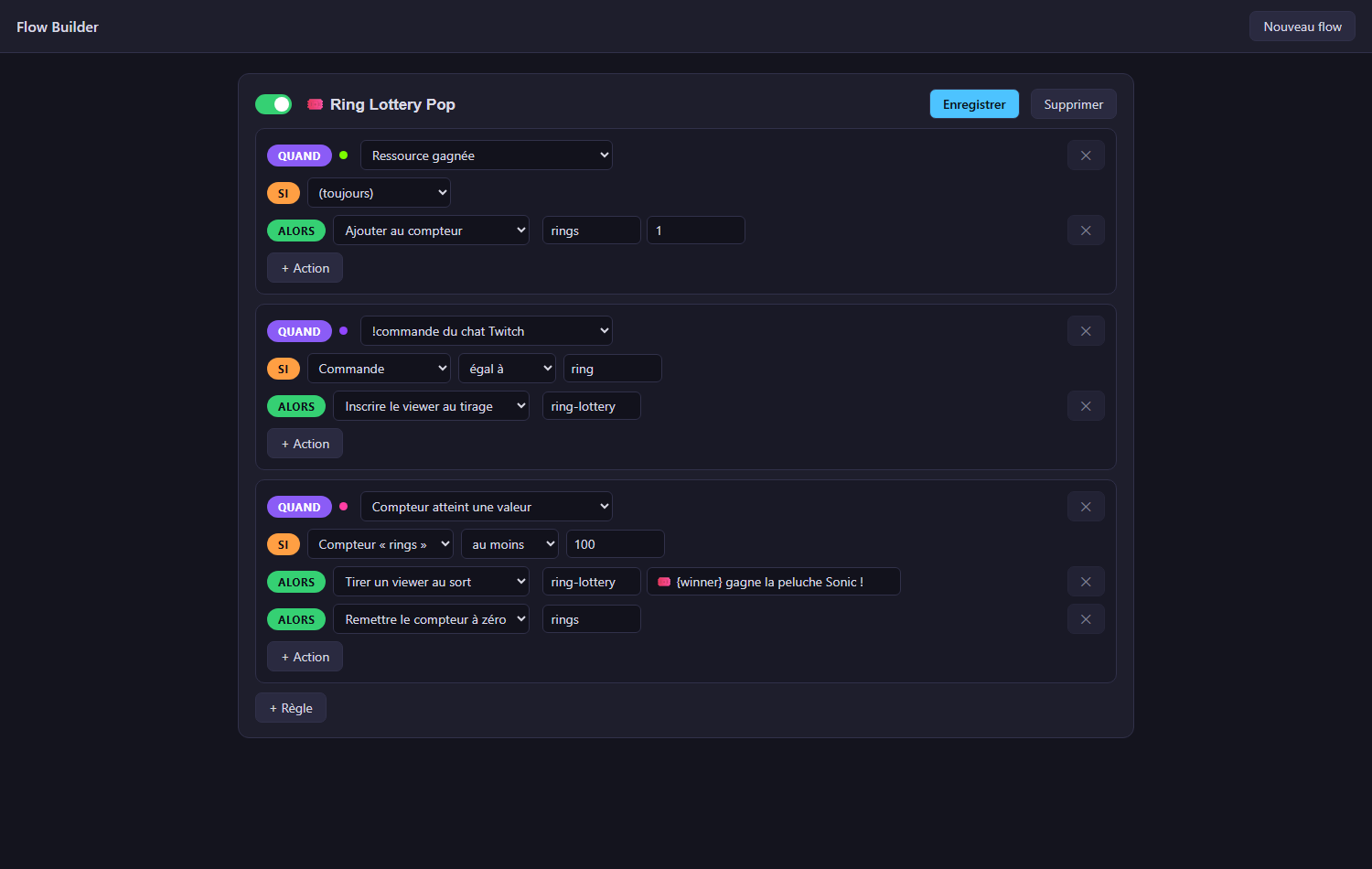
A flow is a set of readable rules:
When
ring gained→ Thenadd 1 to counter ringsWhen
counter reachedIfcounter rings at least 100→ Thenshow popup 🎉,reset counter rings
-
When - any event from the catalogue: game events (life lost, game over, rings/coins, high score, level…), Twitch chat messages and !commands, counters, API state.
Under the hood - where game events come from
Game events are real, normalized gameplay signals published by APIExpose on
/ws/ingame. Each one carries an action (LOSE_LIFE,BOSS_DEFEATED,COIN_GAIN…), a family (resources.lives,combat.enemies,scoring.collectibles…) and, when the game provides them, a color and a player index. The selectors only offer moments that actually exist in the game you are running - dormant definitions are filtered out, so what you pick is guaranteed to fire.- If - a closed condition on a payload field or a counter. Values can be
numbers (
at least 100) or text (command equals ring). - Then - actions: show a popup (simple, or one of your designed popups), add/reset counters, switch OBS scene, show/hide a source, play a media (the selectors list your real OBS scenes and sources), call a webhook, announce on Discord, enter a viewer into a draw, pick a random viewer.
- If - a closed condition on a payload field or a counter. Values can be
numbers (
The 20 catalogue widgets (Widgets tab) each ship a ready-made flow: the Edit button creates it on first click, then always brings you back to it.
Event - the dashboard
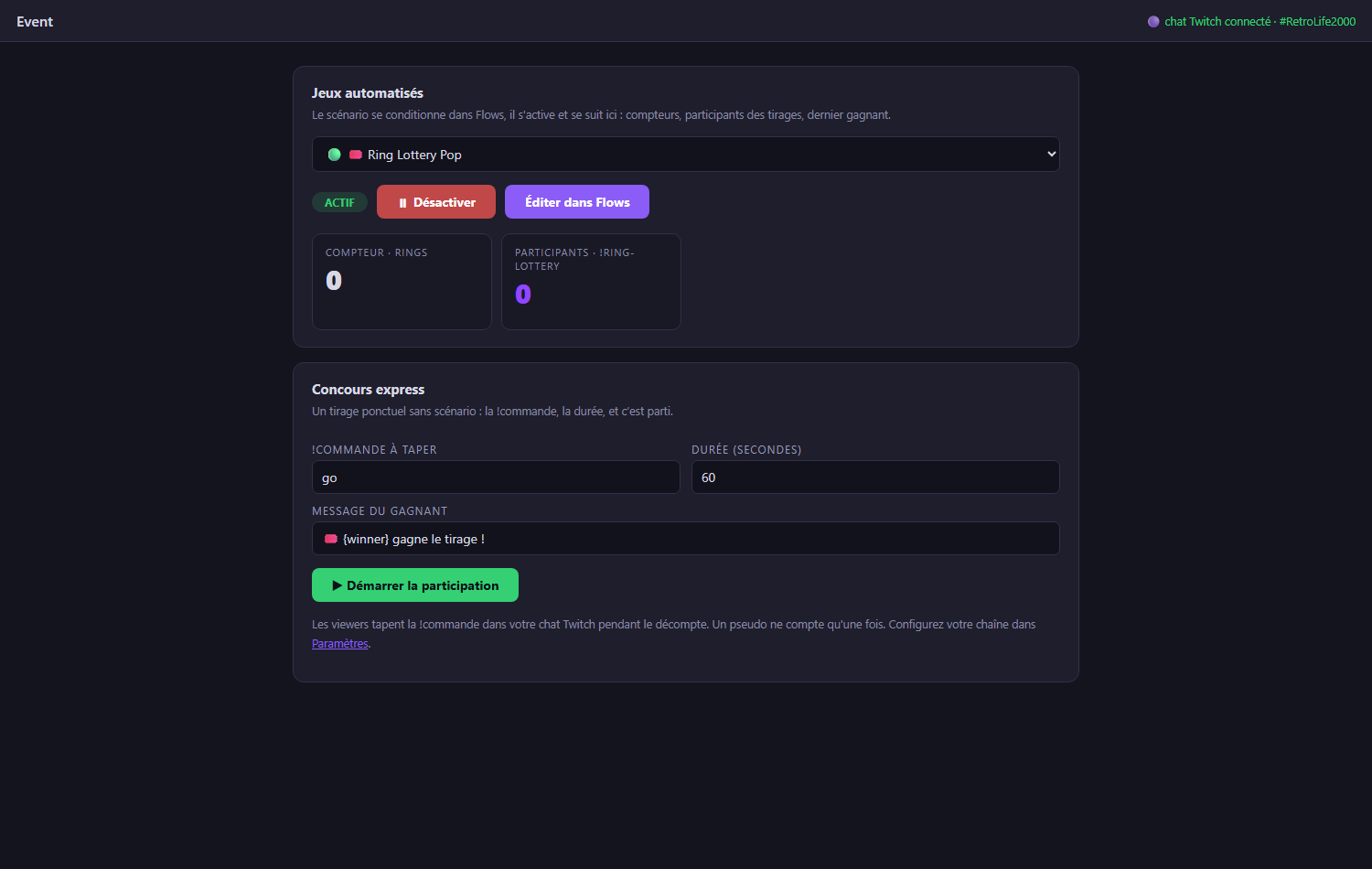
+ New event opens the picker - three event types:
- 🏆 Live Contest - your viewers play at home, live standings (see Twitch integration);
- 🤖 Automated game - a Flows scenario living during your run;
- 🎟️ Quick contest - a one-off chat draw, no scenario needed.
Automated games - pick one of your flows:
- ▶ Activate / ⏸ Deactivate it (a disabled flow does nothing);
- Edit in Flows jumps back to the builder;
- live tiles show the flow's counters, the draw participants joining in real time, the last winner and the last popup.
Quick contest - a one-off draw without any flow: type the !command, the duration, press start. Countdown, live participant chips, counter, random winner announced on screen and on the overlay.