The setup assistant
MarqueeManagerSetup.exe, at the root of the plugin, is the visual tool that configures everything without editing config.ini by hand - and writes the configuration cleanly (with a .bak backup, never touching the file's comments).
French or English
The assistant follows RetroBat's language (EmulationStation setting), else Windows' - and can be switched anytime with the FR/EN button in the rail (the choice is remembered). To force it: MarqueeManagerSetup.exe --lang fr or --lang en.
First launch: three steps
On the very first start, a welcome wizard does everything in under three minutes:
- “We detected N screens” - identification with big numbers;
- one pre-picked type per screen based on its shape (a 5:1 strip → Marquee?) - fix it in one click;
- “Your setup is ready” - default surfaces and components laid out, confirmation patterns, runtime started.
“Configure later” skips the wizard (relaunchable from Home). Then browse EmulationStation: your marquees show up.
The six rail views
| View | What it does |
|---|---|
| Home | Installation health, shortcuts, startup wizard relaunch |
| My setup | The map of your screens: zero-config types, surfaces, graphic creation, display states, test patterns, physical DMD, touch |
| My systems | Per system: source priorities, automatic templates, personal media folder, pre-generation |
| My games | A game's sheet: per-surface graphic creations, online media, ingame effects, lamps, lighting |
| Options | APIExpose connection, Lighting Engine, MAME layouts, RetroAchievements, live score/timer, online sources (API keys, ScreenScraper account) |
| Diagnostics | Detection report (screens, DMD, ports), data source status, latest runtime events |
Home
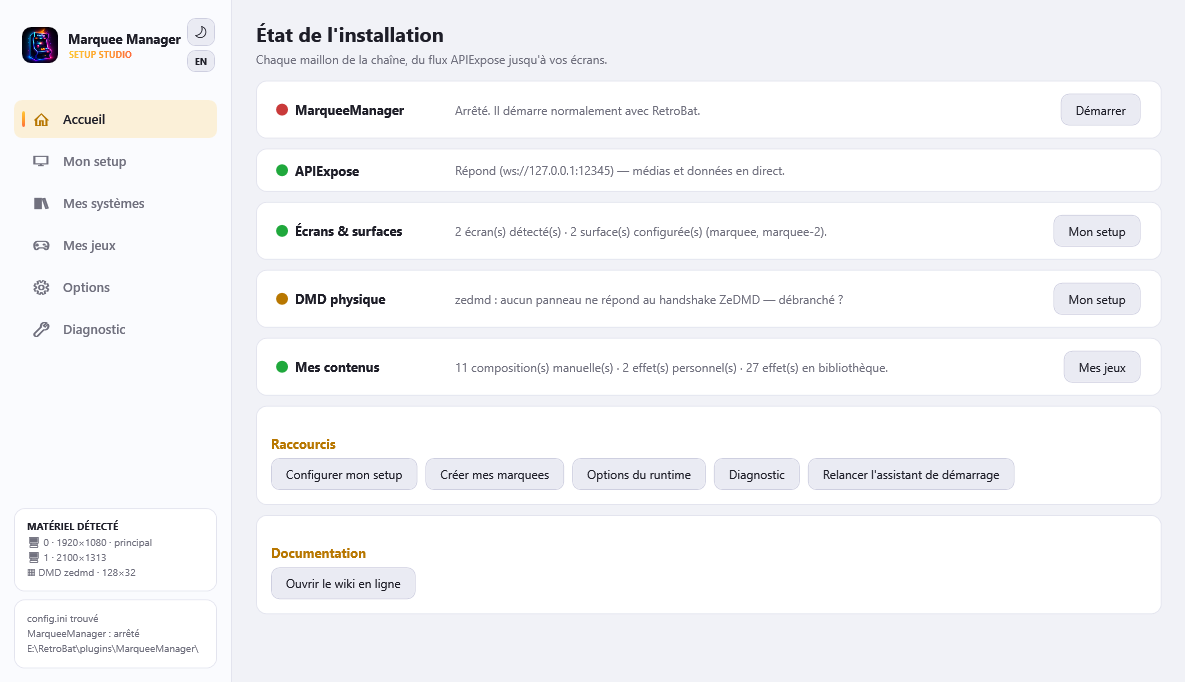
One status card per link of the chain, with a green/orange/red dot and actions: MarqueeManager (Start/Stop), APIExpose, Screens & surfaces, physical DMD (orange when the configured panel is unplugged) and My content (graphic creations, personal effects). Under the navigation, the Detected hardware card lists your screens and the DMD.
Options
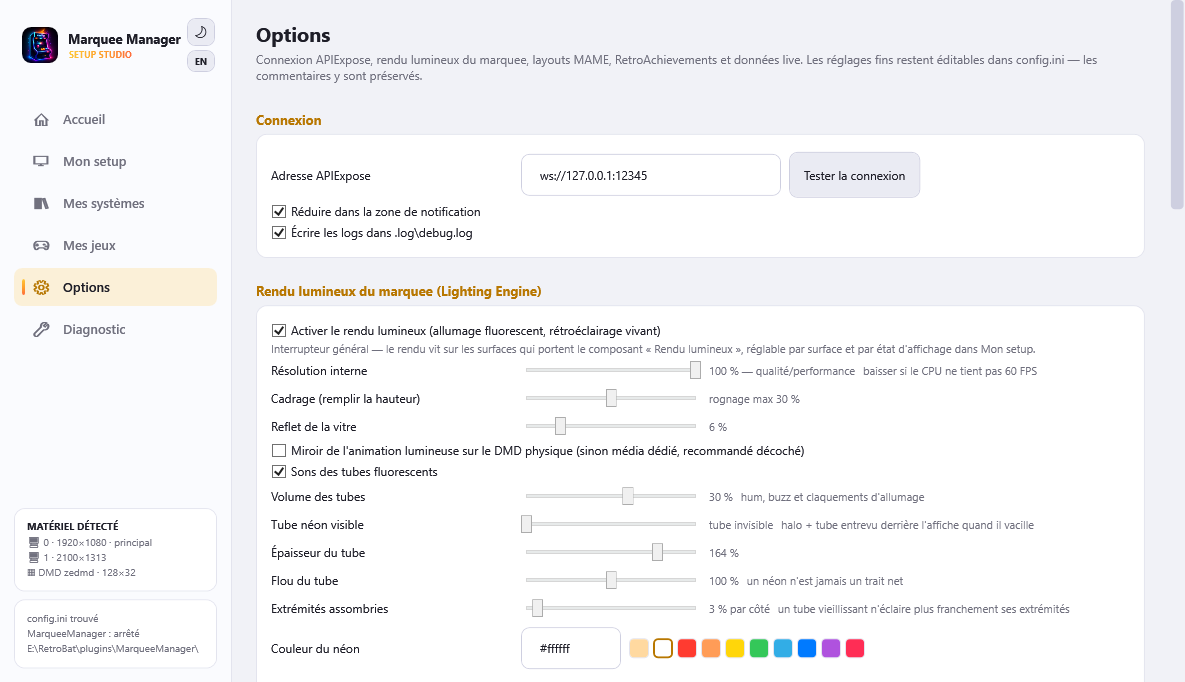
Everything else, presented as simple settings:
- Connection: APIExpose address with a test button.
- Lighting render: the marquee's Lighting Engine - quality/performance, framing, glass reflection, tube sounds.
- MAME layouts:
.layfile rendering for marquee, topper, iccard and DMD. - RetroAchievements: per-surface enabling, badges, fullscreen unlock.
- Live score and timer: the real-time overlays on the marquee and DMD.
- Online sources: SteamGridDB/TheGamesDB/Twitch/YouTube keys and the ScreenScraper user account (picked up from EmulationStation when empty).
Fine-grained settings (durations, thresholds…) stay available in config.ini, where every option is commented - the assistant never overwrites those comments.
Diagnostics
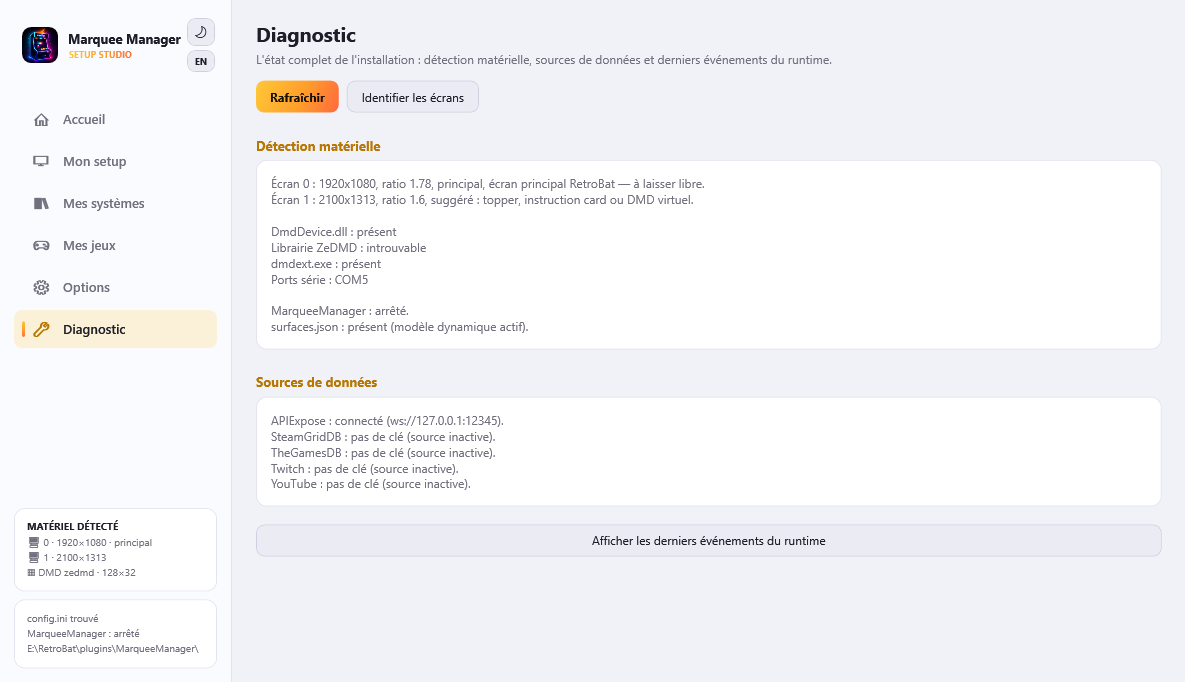
“Why is my screen black?” - the full detection report (screens with suggestions, DMD stack, serial ports), the data source status (APIExpose tested, keys set or not) and the latest events from the runtime's log file.