My games
My games is a game's full sheet: the marquee it displays, its graphic creations, its online media, its ingame effects, its lamps and lighting.
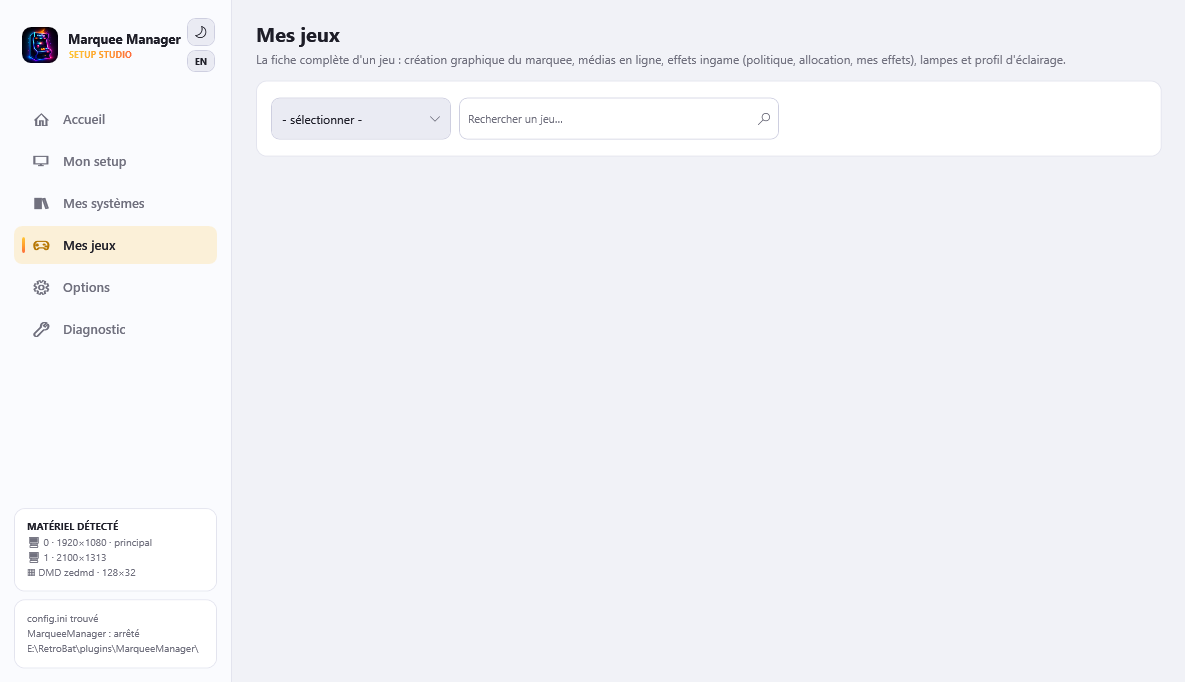
Finding a game
Pick a system (only systems with installed games in roms\ show up - the arcade family is grouped), then type a game or rom name: “lunar” finds Lunar Lander (llander), even without scraped media. Names come from your gamelist, completed by the APIExpose library.
My marquee
Pick the surface (suspended surfaces are hidden by default): below the picker, the same resolution cards as in My systems, from most general to most specific - General template, My creation for this game, My media folder, Scraped marquee, Laid-out logo. Every card has its preview; clicking a card uses it for this game (a per-game override) and the green check ✓ marks the one that shows.
The composer and the delete live on the “My creation for this game” card (Compose / Edit, Delete). Every surface carries its own creation: switch surface to see and edit each one.
The system picker starts with “All games”: the template of last resort, the one that dresses a game neither its own card nor its system speaks for. Below it, the games' general template is per system: “Edit the general template” composes a generic layout that applies to every game of this system (megadrive and nes can each have their own), each game receiving it with its own media - and it outranks the “All games” one. A selected system also offers “Default for all games of this system”: the source to prefer for every game of the system, which a game's own card can always override. My media folder offers “Open the folder” to drop a raw file (game level: media\marquees\user\<system>\<rom>.png).
The creation interface: target (screen/surface) at the top, media by type on the left, canvas in the middle, layers on the right (eye, padlock, ▲▼ arrows and drag & drop for z-order) with the layer inspector.
The palette lists every composable type, whether or not the sample owns one: fanart, mix, logo, marquee, screen marquee, generated marquee and DMD, flyer, title screen, screenshot, 3D box, box front, bezel, plus the system's fanart, logo and marquee. A type with no picture behind it is placed as a coloured square carrying its name - a layout is composed against types, the picture arrives game by game. The “Show samples” box swaps the stack to a real game's media to judge the result. A type the streams do not carry is marked: it composes here but will not display on the surface.
For text: “Text: game name”, developer, publisher, year, description, genre, players, rating. The description lands in a box the handles resize in both directions; its type size and its alignments (left/center/right, top/middle/bottom) are set in the properties. A layer carrying nothing but a tag has no text field: its content belongs to the game.
On the canvas: drag to move, wheel = size, Shift+wheel = rotate, resize and rotate handles on the selected layer - the corner opposite the one you grab stays put.
Fetch media online
Arcade Database (no key), SteamGridDB, TheGamesDB - keys in Options → Online sources. Click a media to import it: it becomes available in the graphic creation interface (downloaded media).
What about ScreenScraper?
The ScreenScraper source only appears when the developer credentials are available (never shipped in the code); your user account is picked up from EmulationStation or typed in Options. APIExpose already scrapes ScreenScraper locally - this direct source is a complement, unchecked by default.
Ingame effects management
Games with a .MEM definition ( MEM badge on the sheet) emit semantic signals (HIT, LOSE_LIFE, BOSS_DEFEATED…). The .MEM file is resolved through APIExpose's alias referential (dump names, variants, hashes): your rom file name does not need to match exactly. Each row reads “When [signal] then [effect]”, with a status dot: gray = no effect, orange = default effect, green = your setting. Clicking a row (or “Link an effect to a signal…”) opens the dedicated editor: signal, simple effect or one of My effects, preview, save. While playing, effects display whatever the marquee media is - image, video or graphic creation - as an overlay.
My effects
A named effect = a stack of sequenced actions (veil, flash, shake, strobe, sprites, your webm/gif media) with start and duration. Sprites tune their size (up to 1000 %, crisp pixels), growth and position (well-spaced random, centered, evenly spread); full_* sprites are unique full-width backdrops. The library ships official effects (★, not deletable - duplicate them) plus yours in media\effects\library.json.
Per-game policy
Inherit (genre/system defaults + your settings), Only my effects, or Disable everything. The live monitor shows firing signals while you play.
My dynamic Arcade marquee
This is the marquee shown while playing: the game's MAME outputs light the lamps you place, like the original cabinet's illuminated header. The preview takes the sheet's full width, background of your choice (generated marquee first).
Circle or rectangle lamps: drag = move, handle (or wheel) = resize, clickable color palette in the inspector (the hex field stays available), precise position and dimensions. The wiring is picked strictly from the game's real outputs - and the same output can light several lamps (After Burner II's two LOCKON lamps, for instance), while a lamp can also listen to several outputs. Detailed lamp list and an attract mode test button (chase, alternate). The scene saves to resources\rbmarquee\<rom>.xml and the generator never overwrites it again.