My systems
My systems decides, system by system, which source shows up when a system is selected in ES. You no longer reorder a list: each source is a card, from the most general to the most specific, and you click the card you want to use.
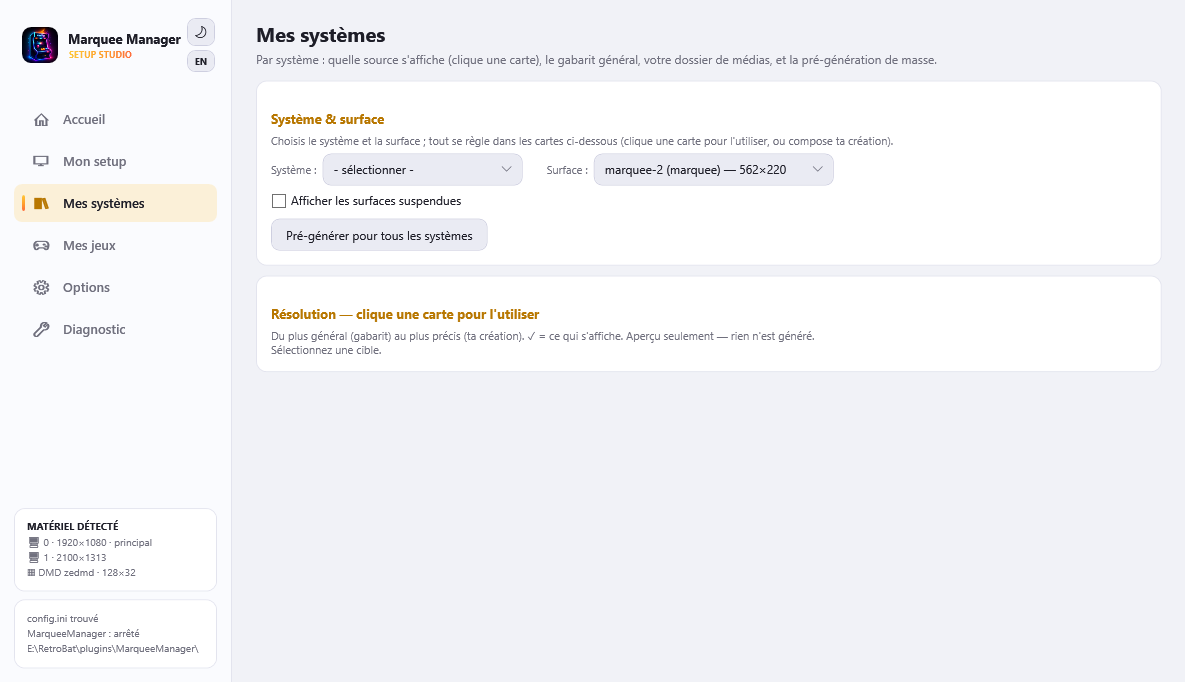
System & surface
Pick the system (only those with installed games appear; mame, fbneo… keep their own creations) and the surface on the same row. Suspended surfaces (whose screen is excluded from MarqueeManager) are hidden by default - a “Show suspended surfaces” box brings them back.
The resolution cards
Below the pickers, one card per source, from most general to most specific:
- General template - all systems: the generic layout (see below), rendered with the current system's media.
- My creation for this system: your dedicated composition, with Compose / Edit and Delete.
- My media folder: a raw file you drop in (see below).
- Scraped marquee then Laid-out logo: the automatic sources.
Every card has its own preview (greyed “no media for this source” when empty, hence not selectable). Clicking a card activates it for this system + surface; the green check ✓ marks the one that actually shows. The default precedence is fixed (creation > folder > template > scraped > logo); clicking a card forces it and disables the ones above.
The system fanart used by the compositions comes from the active ES theme (carbon ships one for almost every system).
The general template
The template (“gabarit”) is a generic layout (fanart + gradient + logo, say) composed once and applied to every system: each layer is keyed by its type (fanart, logo…) and, at render time, resolves the current system's media. Edit the general template opens the very same composer as “Compose”, with generic layers.
Pre-generate for all systems renders the template for every system at once (instant ES navigation); otherwise it renders on the first visit to a system.
My media folder
Drop a file (PNG/JPG) for a system: the card's Open the folder button creates and opens the exact location, even before anything is selected. At the system level the file takes the system name as shown in ES - e.g. media\marquees\user\systems\mame.png (not arcade.png). Once a file is present, the “My media folder” card becomes selectable and outranks the template and the scraped source.